If it suddenly seems that your computer is running real slow and the drive light is flickering like crazy (geek speak = “thrashing”), you can correct the problem by installing more memory. And, for most systems it’s not that hard. So, before you tear down your system, unplug the cables, lug the machine to the car, drive to the computer store, wait to have RAM installed, and pay for the service—read Microsoft At Home’s article entitled, “Add More Memory to Your Computer” on how to install it yourself.
Disk Defragging
I talked about spring cleaning in yesterday’s post. Today, I took some of my own advice and performed some disc cleaning on Anne’s computer. (I just received a new laptop from Wycliffe Associates and don’t need it quite yet). I used Auslogic’s DiskDefrag and find it to be so much better and faster than Window’s built-in defragmenter. According to their website, the program…
-
- Optimizes file system
- Consolidates free space
- Can defrag automatically
- Provides flexible scheduler
- Can defrag a single file or folder
- Supports multi-terabyte volumes
I know individuals that highly recommend it as well. It’s free so give it a try and let me know what you think.
Spring Cleaning
With the coming of spring comes spring cleaning. As they say in Poland, “you gotta do what  ya gotta do” so we get to it. But, have you ever thought about spring cleaning your computer?
Here’s an excellent PC Magazine article on cleaning up your computer. I’ve also included a link on PC Mag’s best Tune Up Utilities, both free and paid.
Here’s an excellent and helpful TechRepublic checklist entitled “Items to Address with a PC Tune-up” that will help you remember WHAT to focus on in maintaining your computer.
Best Free Microsoft Downloads and Cool Win 7 tools
Gizmo’s, one of favorite sites to discovering free software, has an excellent article on free Microsoft software. Gizmo’s also has recommendations for Apple and Linux operating systems.
Both Anne and I have an e-book reader. Anne has a Nook, from Barnes & Noble, and I have an Amazon Kindle. We both love our readers – they are so compact but are able to store so much reading material. So, we found this article on free e-books quite helpful.
See http://www.techsupportalert.com/content/50-places-free-books-online.htm?utm_source=feedburner&utm_medium=feed&utm_campaign=Feed%3A+gizmosbest+%28Gizmo%27s+Best-ever+Freeware%29 for more information.
Tech Republic is one of my favorite web sites. They recently published this following article on 10 cool Windows 7 tools. Check it out…
http://www.techrepublic.com/blog/10things/10-cool-tools-in-windows-7/738
Birthday Bash
We discovered the secret to staying young. According to Anne’s birthday cake, just stop counting at 29!
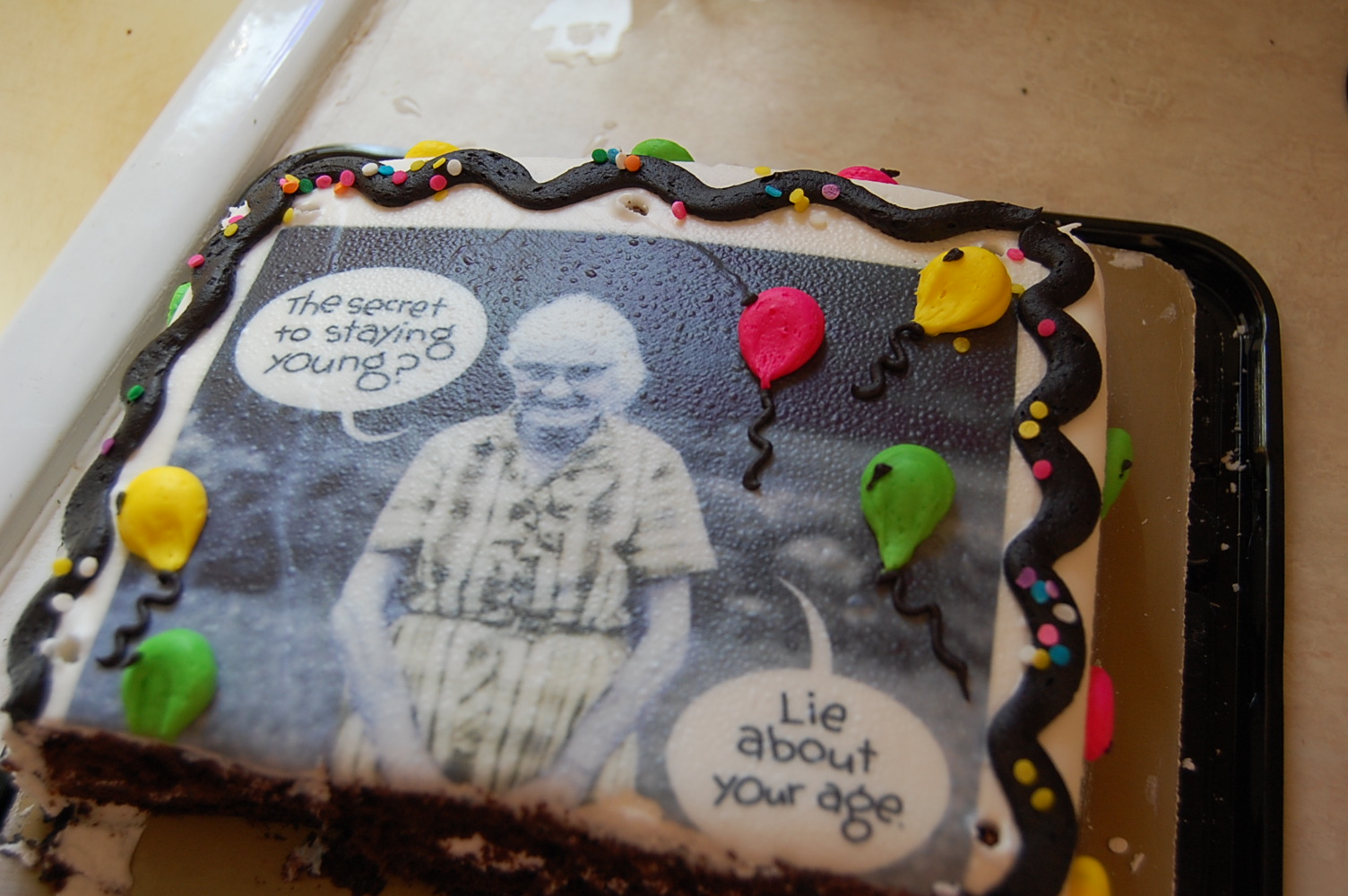
29 and holding!
“50 isn’t all that bad” was the theme from the many cards and letters of encouragement Anne received at her 50th birthday party. She received cards from family and friends in here in the States and some from as far away as Germany, Denmark, and Indonesia.
Transitions
Anne and I have transitioned from living in Germany to living back in the States. I (Ken) have transitioned to a new role within Wycliffe. (The menu links above will explain my role in greater detail). Anne will continue to work with Wycliffe Europe but will transition from working within the European context to working remotely, from the States. 
One would assume that the transitions would be easy, especially when moving back into our home country. But, such has not always been the case.
But not today though. For today, my wife has transitioned from the fourth decade to the fifth. Yes, today (February 17th) Anne turned 50!
Unlike our other transitions, this one has been graceful and smooth. Anne is as beautiful, loving, and kind as she has always been. Indeed, one would never know that she has gained a day.

